The backup has never been tested: business continuity in plain English
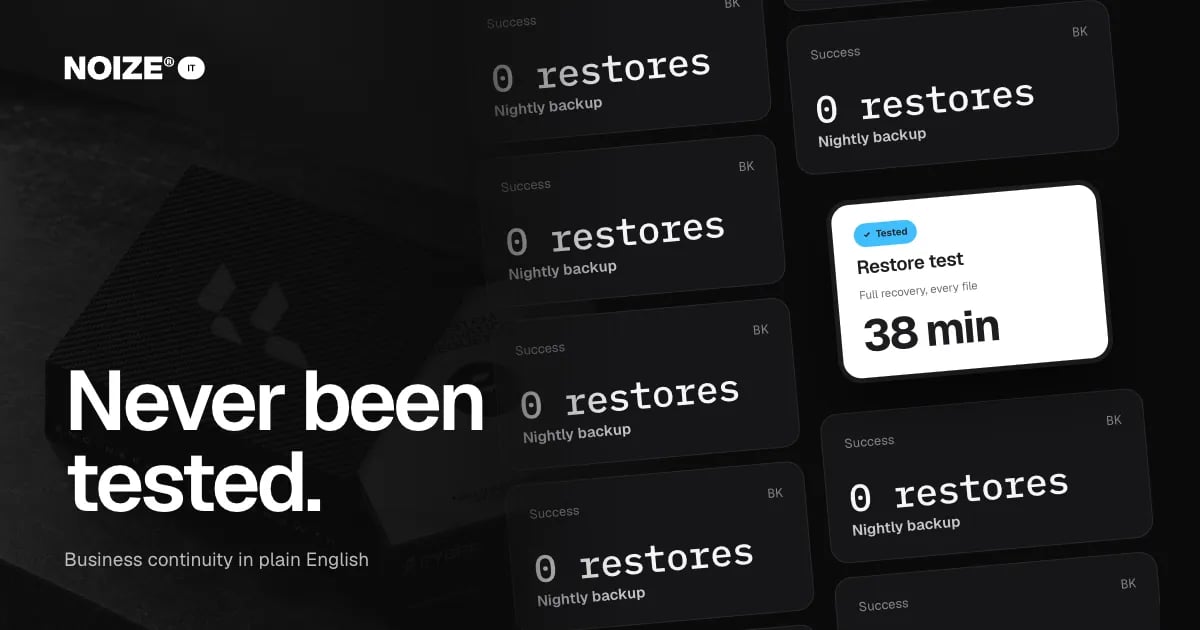
Every night the backup runs. Every morning the report says "success". Nobody has ever tried to restore anything from it. Nobody knows how long a full recovery would take, or whether it would work at all.
The backup has never been tested. It is one of the most common IT gaps we find, and one of the most dangerous, because it feels safe right up until the day it is needed.
The short version
- A backup is a copy of your data.
- Recovery is getting it back.
- Continuity is keeping the business running while that happens.
- Most businesses have the first, assume the second and have never planned the third.
- Test restores regularly, keep backups separate from the systems they protect, know how long recovery takes and write a simple plan for what the team does during an outage.
Backup, recovery and continuity in plain English
01Backup
Copies of your data stored somewhere else: files, email, databases, accounting records and system settings.
02Recovery
The process of restoring data or systems from backup after loss, failure, theft or attack. What matters is how much you can recover and how quickly.
03Continuity
How the business keeps operating while systems are being recovered: who does what, how customers are contacted and which tasks can continue manually.
What can go wrong
- Ransomware encrypts files and sometimes the backups connected to them.
- Hardware failure takes out a server or a laptop with unsynced files.
- Accidental deletion removes important files or folders.
- Theft or loss of devices.
- Cloud account problems, where a compromised or deleted account takes data with it.
- Natural events like fire or flood affecting premises.
What good backup looks like
01Everything important is included
Files, email, cloud apps, accounting data and system configurations, not just one shared drive.
02Copies are kept separately
At least one copy stored away from the main systems, so an attack or failure can't reach it.
03Backups run automatically
No reliance on someone remembering to plug in a drive.
04Restores are tested
Regular test restores prove the backup works and show how long recovery takes.
05Retention is sensible
Backups kept long enough to recover from problems discovered weeks later.
> I've invested in businesses that only learned their backup was broken when they needed it. In one case, the nightly job had been failing quietly for months. The data wasn't lost forever, but the week it took to rebuild was far more expensive than testing would ever have been.
“Couldn't recommend these guys enough.”
A simple continuity plan
Write one page covering: who to call when systems fail, which tasks matter most and how to keep them going, how to contact customers and staff, where the access register and backup details are kept and who can approve emergency decisions. Share it and review it yearly.
An illustrative example
Picture a design studio with files on a local server and a nightly backup to an external drive in the same room. A test restore shows the backup is incomplete and would take days. NOIZE IT moves files to a cloud platform with separate cloud backup, schedules quarterly test restores and writes a one-page continuity plan. The next test restores everything in under an hour.
Mistakes to avoid
- Don't keep your only backup in the same place as your systems.
- Don't assume cloud apps back themselves up fully. Many need separate backup.
- Don't treat a "success" report as proof. Test the restore.
How NOIZE IT works with you
Most of what this article covers is practical work NOIZE IT takes on: running and testing backups, turning on multi-factor login and registering and renewing domains. You get our view on the backup has never been tested too, not just the paperwork.
If a job needs specialist expertise or accreditation, we involve an appropriately qualified professional with the right accreditation. The right mix is decided with you when we scope the work.
Some clients want everything handled, others want a second set of eyes. Both work, and the arrangement can change as the business does.
Questions to ask about your backups
- What exactly is backed up, and what isn't?
- Where are the backups stored?
- Are they separate from the systems they protect?
- When was a restore last tested, and how long did it take?
- How far back can we recover?
- Who would we call first if systems failed tonight?
Honest answers reveal whether the business is protected or just hopeful.
What good looks like
All important data, including cloud apps and email, is backed up automatically. At least one copy is stored separately. Restores are tested regularly and timed. Retention is long enough to recover from problems discovered late. A one-page continuity plan tells the team what to do during an outage. Everyone knows where to find it.
Where to start this week
Ask your IT provider, or whoever manages backups, to restore one important folder from a week ago and time it. If they can't, or it takes far longer than expected, you have found your first priority. See it.noize.com.au.
How IT connects to the rest of NOIZE
No department works in isolation, least of all this one. NOIZE Legal works with IT on privacy policies and data protection, with an appropriately qualified professional where the law requires it. NOIZE Books and Accounting rely on secure, backed-up financial systems. When IT is part of the same group as the departments it supports, problems are prevented rather than discovered, and nothing falls between build and support. NOIZE Digital builds websites, integrations and automations, then hands them to IT to host, secure and support. NOIZE Talent tells IT when people join or leave, so access is ready on day one and removed on the last.
Related reading
- Keep your people working: the real cost of downtime
- Who has the admin password? IT basics every business should own
Common questions
How often should backups be tested?
Regularly, with a full recovery test at least once or twice a year and smaller tests more often.
Does Microsoft 365 back up my data?
It provides some protection, but many businesses use separate backup for full recovery options.
What is a business continuity plan?
A short plan for how the business keeps operating during an outage or disaster.
What is the difference between backup and disaster recovery?
Backup copies data. Disaster recovery restores systems and data so the business can operate again.
How long should backups be kept?
Long enough to recover from problems discovered late. Retention depends on your data and obligations.
Can ransomware affect backups?
Yes, if they are connected. Keeping copies separate protects them.
Where should backups be stored?
At least one copy away from your main systems, often in a separate cloud service.
Can NOIZE manage backups and testing?
Yes. NOIZE IT manages backups, recovery testing and continuity planning.
Does NOIZE handle all of our IT directly?
Most everyday IT work, yes. Where a job needs specialist expertise or accreditation, we make sure an appropriately qualified professional is involved, agreed with you up front.
How long should a restore take?
It depends on the data and systems, but you should know the answer from testing, not guess it during an emergency.
Your first strategy conversation is on us.
Have a chatThe brand for business.