Cyber security for small business, without the fear
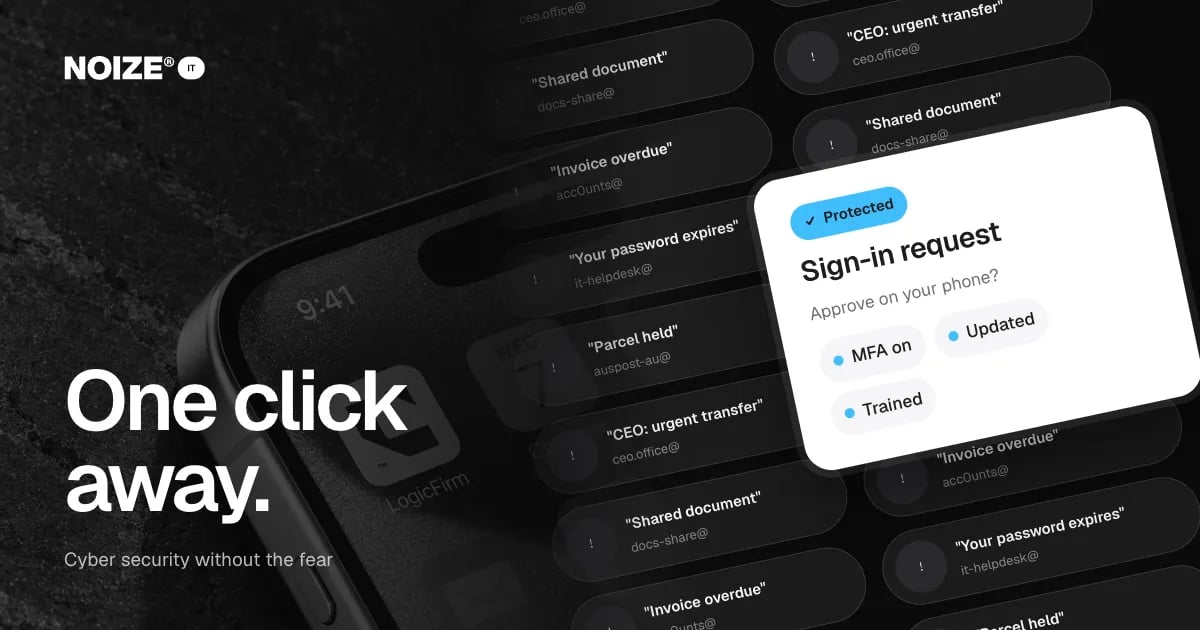
"Invoice overdue" from an accounts address with a zero instead of an O. "Your password expires today" from a helpdesk that doesn't exist. "Parcel held, confirm details" from a lookalike courier. "Urgent transfer needed" from someone pretending to be the CEO. "Shared document" with a link to a fake login page.
Most cyber attacks on small businesses don't look like hacking in films. They look like ordinary emails, and they rely on one person clicking. Small businesses are targeted because they are easier, not because they are interesting.
The short version
- A handful of basics stop most attacks on small businesses: multi-factor login, regular updates, tested backups, sensible access controls and short, regular staff training.
- The Australian Cyber Security Centre's Essential Eight provides a practical framework.
- Security doesn't have to be frightening or expensive.
- It has to be consistent, and someone has to be responsible for it every day.
Why small businesses are targeted
Attackers send thousands of messages hoping a few people respond. Small businesses often lack dedicated security staff, run older systems and handle payments and customer data. That combination makes them attractive targets, even if they think they are too small to notice.
The basics that stop most attacks
01Multi-factor login
A code or prompt on your phone when signing in. It stops most attacks that rely on stolen passwords. Turn it on for email, finance systems and admin accounts first.
02Updates
Operating systems, browsers and apps patched promptly. Many attacks exploit known vulnerabilities that updates fix.
03Backups
Regular, separate and tested, so ransomware doesn't mean losing everything.
04Access control
People have access to what their role needs, and admin rights are limited.
05Staff awareness
Short, regular training on spotting suspicious emails, links and payment requests.
06Payment checks
A rule that any change to bank details or urgent payment request is verified by phone using a known number.
> I've invested in dozens of ventures, and the security incidents I've seen up close almost all started the same way: one convincing email, one tired person, no second check. The fix was rarely expensive technology. It was multi-factor login and a habit of picking up the phone.
The Essential Eight, simply
The Essential Eight is a set of baseline strategies from the Australian Cyber Security Centre. In plain terms, they cover controlling which applications can run, patching applications, configuring Microsoft Office macros safely, hardening user applications, restricting admin privileges, patching operating systems, using multi-factor authentication and keeping regular backups. Not every small business needs every strategy at the highest level, but they are a sensible guide to priorities.
“Couldn't recommend these guys enough.”
An illustrative example
Picture a professional services firm where a staff member receives a convincing email asking to update a supplier's bank details. Without a verification habit, the payment would have gone to the wrong account. After a security review, the firm turns on multi-factor login everywhere, automates updates, runs short quarterly training and adds a phone-verification rule for payment changes. The next suspicious request is spotted and reported within minutes.
Mistakes to avoid
- Don't assume you are too small to be targeted.
- Don't rely on antivirus alone.
- Don't make security a one-off project. It needs ongoing attention.
Where IT and Legal connect
When customer data is involved, security is also a legal matter. NOIZE IT handles protection and response. NOIZE Legal can help with privacy policies and data breach obligations. See it.noize.com.au.
What we handle, and when specialists step in
NOIZE IT does the practical side itself: changing DNS records, setting up Microsoft 365 or Google Workspace and creating a Google Business Profile. Where useful, we add strategy advice on cyber security for small business, without the fear.
Where specialist expertise or accreditation is required, an appropriately qualified professional steps in. Every arrangement is tailored and agreed at the start.
You stay in control throughout. Accounts and records remain in the business name, and you can see exactly what has been done and why.
Questions to ask about your security
- Is multi-factor login on for every email and finance account?
- Are devices and software updated automatically?
- Do staff know how to spot and report a suspicious email?
- How do we verify changes to supplier bank details?
- Who has admin rights, and do they need them?
- When were backups last tested?
These basics cover most of the risk for a small business.
What good looks like
Multi-factor login is on everywhere it matters. Updates install automatically. Staff complete short training each quarter and report suspicious messages without hesitation. Payment changes are always verified by phone. Admin rights are limited. Backups are separate and tested. Security is reviewed regularly against practical frameworks like the Essential Eight.
Where to start this week
Check whether multi-factor login is on for every email account and your accounting system. If not, turn it on. It is the single highest-value security step most small businesses can take.
How IT connects to the rest of NOIZE
This is where the wider NOIZE group makes a difference. NOIZE Books and Accounting rely on secure, backed-up financial systems. When IT is part of the same group as the departments it supports, problems are prevented rather than discovered, and nothing falls between build and support. NOIZE Digital builds websites, integrations and automations, then hands them to IT to host, secure and support. NOIZE Talent tells IT when people join or leave, so access is ready on day one and removed on the last. NOIZE Legal works with IT on privacy policies and data protection, with an appropriately qualified professional where the law requires it.
Related reading
- Keep your people working: the real cost of downtime
- Who has the admin password? IT basics every business should own
Common questions
What is the biggest cyber risk for small business?
Phishing emails and stolen passwords are among the most common ways attacks begin.
What is the Essential Eight?
Baseline cyber security strategies published by the Australian Cyber Security Centre.
What is multi-factor authentication?
A second check when signing in, such as a code or prompt on your phone.
How do we train staff to spot scams?
Short, regular sessions with real examples, plus a simple way to report suspicious messages.
What should we do if we click a suspicious link?
Report it immediately, change the affected password from a clean device and contact your IT provider.
Is cyber insurance worth it?
It can be. Insurers increasingly expect basics like multi-factor login and backups.
Do we need to report a data breach?
Some breaches may need to be reported under Australian privacy law. NOIZE Legal can advise.
Can NOIZE manage our cyber security?
Yes. NOIZE IT provides security setup, monitoring, training and response.
Does NOIZE handle all of our IT directly?
Most everyday IT work, yes. Where a job needs specialist expertise or accreditation, we make sure an appropriately qualified professional is involved, agreed with you up front.
How often should staff do security training?
Short sessions a few times a year work better than one long session, keeping awareness fresh.
Do you support Apple and Windows devices?
Yes. We support common devices and operating systems used by small businesses.
Your first strategy conversation is on us.
Have a chatThe brand for business.