Keep your people working: the real cost of downtime
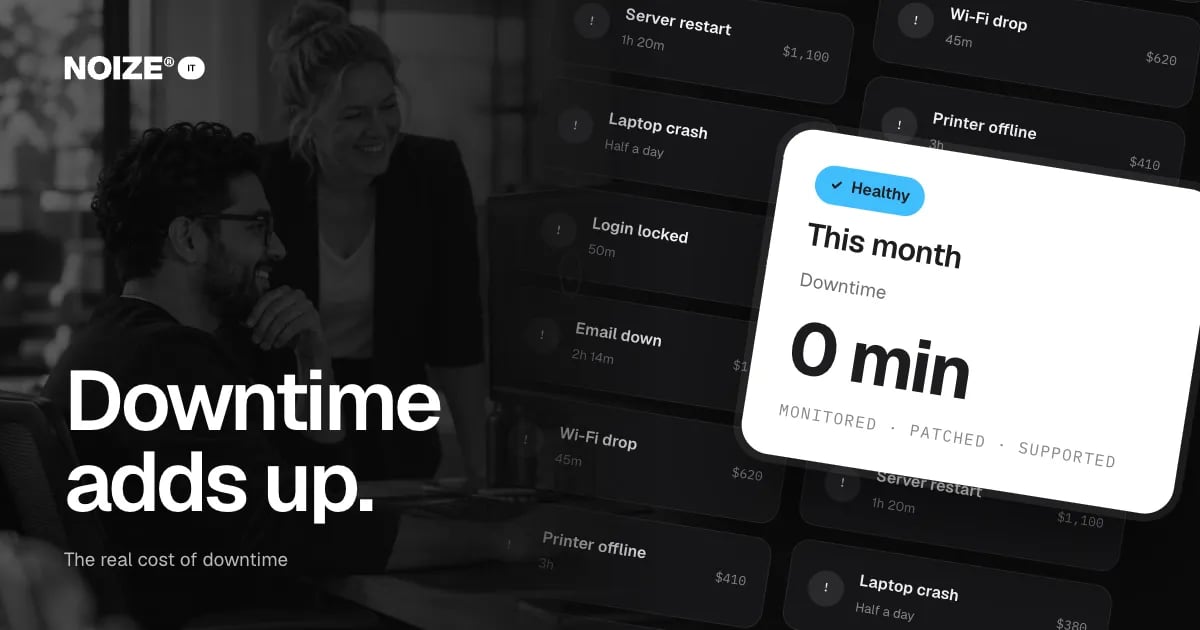
Email goes down for a couple of hours on a Tuesday morning. The Wi-Fi drops twice during a client call. The printer is offline for an afternoon. A laptop crashes and takes half a day to recover. Someone gets locked out of their account and waits nearly an hour for a reset.
None of these feels like a crisis. Each one is an annoyance that gets fixed eventually. But they happen every week, to people being paid to do something else. Downtime rarely appears as a line item in the accounts, so it rarely gets the attention it deserves.
The short version
- IT downtime costs more than most businesses realise: lost hours, missed calls, delayed invoices, frustrated customers and stressed staff.
- Most of it comes from small, preventable problems rather than major outages.
- Managed IT support replaces reactive fixes with monitoring, patching, backups and a helpdesk that answers, so problems are prevented or resolved quickly.
- Keep your people working, and the cost of support is usually far less than the downtime it removes.
How to add up the cost of downtime
01Lost staff time
Multiply the hours lost by the number of people affected and their hourly cost. A two-hour email outage for fifteen people is thirty hours of paid time.
02Lost revenue
Missed calls, delayed quotes, unprocessed orders and postponed appointments all carry a cost.
03Delayed cash
When invoicing or payment systems are down, cash arrives later.
04Customer impact
Slow responses and cancelled meetings damage trust, and some customers don't come back.
05Management time
Owners and managers chasing fixes instead of running the business.
06Stress and morale
Constant small failures wear people down and make the business feel disorganised.
Where downtime comes from
Most small business downtime comes from a handful of causes: unpatched devices, ageing equipment, poorly configured networks, expired renewals, password lockouts and the lack of anyone responsible for preventing problems. Very little of it is unavoidable.
> I've invested in dozens of ventures, and one quick way to judge how a business is run is to ask how often their tech gets in the way. The well-run ones barely think about it. The others have a story every week, and every story is lost time.
What managed IT changes
- Monitoring. Devices, networks and services watched continuously, so problems are spotted before users notice.
- Patching and updates. Systems kept current automatically, reducing failures and security risks.
- Helpdesk support. A team that answers and fixes problems quickly, remotely where possible.
- Backups. Regular, tested backups so data can be recovered.
- Renewals and licences. Domains, certificates and subscriptions tracked so nothing expires unexpectedly.
- Planning. Equipment replaced before it fails, and technology planned around growth.
“Couldn't recommend these guys enough.”
An illustrative example
Picture a fifteen-person office relying on a staff member who is "good with computers". Problems are fixed when he has time. A month of tracking shows dozens of hours lost to small issues. Moving to managed IT brings monitoring, automatic updates, a helpdesk and tested backups. The following month, interruptions drop sharply, and the staff member goes back to the job he was hired for.
Mistakes to avoid
- Don't measure IT only by its invoice. Measure the time it saves or costs.
- Don't wait for a major outage to act. Small, frequent problems usually cost more overall.
- Don't rely on one person's goodwill to keep systems running.
How NOIZE IT works with you
In practice, NOIZE IT handles the hands-on work directly: registering and renewing domains, changing DNS records and setting up Microsoft 365 or Google Workspace. Strategy advice on keep your people working comes with it, so nothing is done in isolation.
Where the law requires specialist expertise or accreditation, or it is outside our skillset, we make sure an appropriately qualified professional is involved. The approach depends on the business and is settled in the proposal.
If you would rather handle some of it yourself, we can simply advise and check the result. Many clients start that way and hand over more as the business grows.
Questions to ask about your IT
- How many hours did technology cost the team last month?
- Who is responsible for fixing problems, and how fast?
- Are devices updated automatically?
- When was the backup last tested?
- Which renewals are coming up in the next ninety days?
- Is anyone monitoring systems before users notice problems?
The answers show whether IT is managed or simply tolerated.
What good looks like
Devices and systems are monitored and updated automatically. Staff have one place to report problems and get fast responses. Backups run and are tested. Renewals are tracked. Equipment is replaced on a plan, not when it dies. Monthly reporting shows tickets, response times and any recurring issues. Most importantly, the team stops talking about IT because it simply works.
Where to start this week
For one week, ask the team to note every time technology stopped them working and for how long. Multiply by their hourly cost. Most businesses are surprised by the total. See it.noize.com.au.
How IT connects to the rest of NOIZE
IT keeps everything else running. NOIZE Digital builds websites, integrations and automations, then hands them to IT to host, secure and support. NOIZE Talent tells IT when people join or leave, so access is ready on day one and removed on the last. NOIZE Legal works with IT on privacy policies and data protection, with an appropriately qualified professional where the law requires it. NOIZE Books and Accounting rely on secure, backed-up financial systems. When IT is part of the same group as the departments it supports, problems are prevented rather than discovered, and nothing falls between build and support.
Related reading
- Who has the admin password? IT basics every business should own
- The backup has never been tested: business continuity in plain English
Common questions
How much does IT downtime cost a small business?
It depends on team size and how dependent you are on technology. Tracking lost hours for a week gives a realistic estimate.
What is managed IT?
Ongoing, proactive support covering monitoring, updates, security, backups, helpdesk and planning, usually for a regular fee.
Is managed IT worth it for a small business?
Usually, when you compare its cost with the time and revenue lost to downtime.
Can IT support be done remotely?
Most support can be delivered remotely, with on-site help when needed.
What does a helpdesk do?
It receives and resolves IT issues for staff, by phone, email or chat.
How quickly should IT problems be fixed?
Critical issues should be handled immediately. Response times are agreed in the support arrangement.
Do we need to replace our equipment?
Not necessarily. We assess what you have and plan replacements when they make sense.
What do you need to quote IT support?
Your team size, the tools you use and what keeps breaking.
Does NOIZE handle all of our IT directly?
Most everyday IT work, yes. Where a job needs specialist expertise or accreditation, we make sure an appropriately qualified professional is involved, agreed with you up front.
What is proactive IT support?
Support that prevents problems through monitoring, updates and planning, rather than only reacting when something breaks.
Your first strategy conversation is on us.
Have a chatThe brand for business.